Dealership recon, connected

Every vehicle moving.
Every step accounted for.

Bring your recon workflow into focus. ZeroGap Recon helps dealership teams track vehicle progress, surface overdue work, manage parts requests, and give leadership a clearer view of the operation.
Built for the people moving inventory—and the leaders keeping it on track.
Workflow visibilityVehicle-level activityRegional oversight
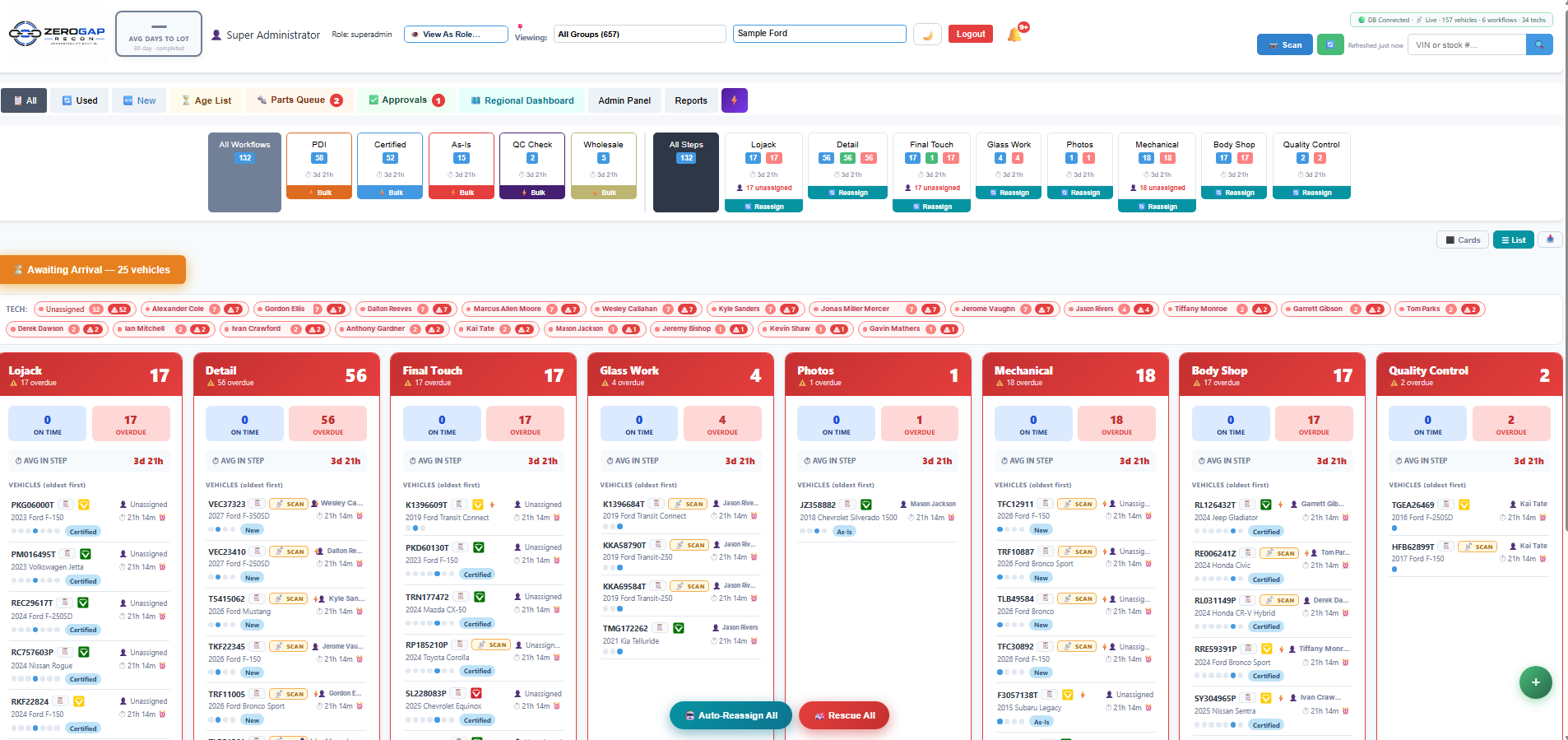
Actual ZeroGap Recon main dashboard showing recon workflow columns, vehicle cards, overdue counts, and technician assignment controls
● Actual ZeroGap Recon interface
One platform for the recon process
↗ Workflow stages
◷ Time-in-step visibility
✓ Parts & approvals
▦ Group-level reporting
01 / Daily recon control

See the work. Spot the hold-ups. Know where to focus.

Your main dashboard brings recon stages and vehicle status into one view. Teams can see what is in progress, what is overdue, and which work areas need attention—without relying on scattered status updates.

  • View vehicles organized by recon step
  • Identify overdue work and aging stages
  • See technician assignments and workflow counts
  • Use workflow views to focus on the next action
Actual ZeroGap Recon workflow dashboard screenshot
Main recon dashboardActual product screen
02 / Vehicle-level accountability

Every vehicle has a story—and a next step.

Open a vehicle to see its current workflow step, time in step, total age, assignment details, and activity history. Keep important changes visible as the vehicle moves through recon.
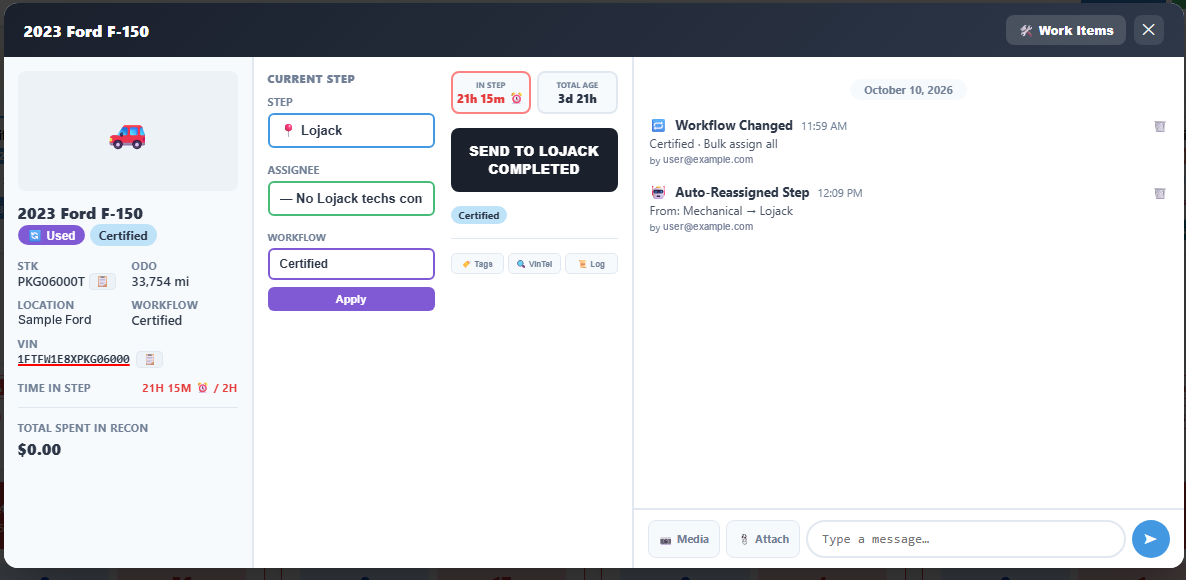
  • Current step and assignee details
  • Elapsed time in step and total vehicle age
  • Workflow-change and auto-reassignment history
  • Vehicle notes and team communication in context
Actual ZeroGap Recon vehicle details panel with current step, time in step, and workflow activity log
Vehicle detail & activityActual product screen
03 / Regional & group visibility

Zoom out from one store to the whole operation.

Give regional leaders a consolidated view across dealer groups. Compare awaiting inventory, vehicles in recon, finished units, active inventory, and average time to lot in one management view.

  • Roll up recon metrics across many locations
  • Filter and sort stores to focus on exceptions
  • Compare new and used inventory activity
  • Switch between cards and list views

The supplied example shows a regional view spanning 657 stores.
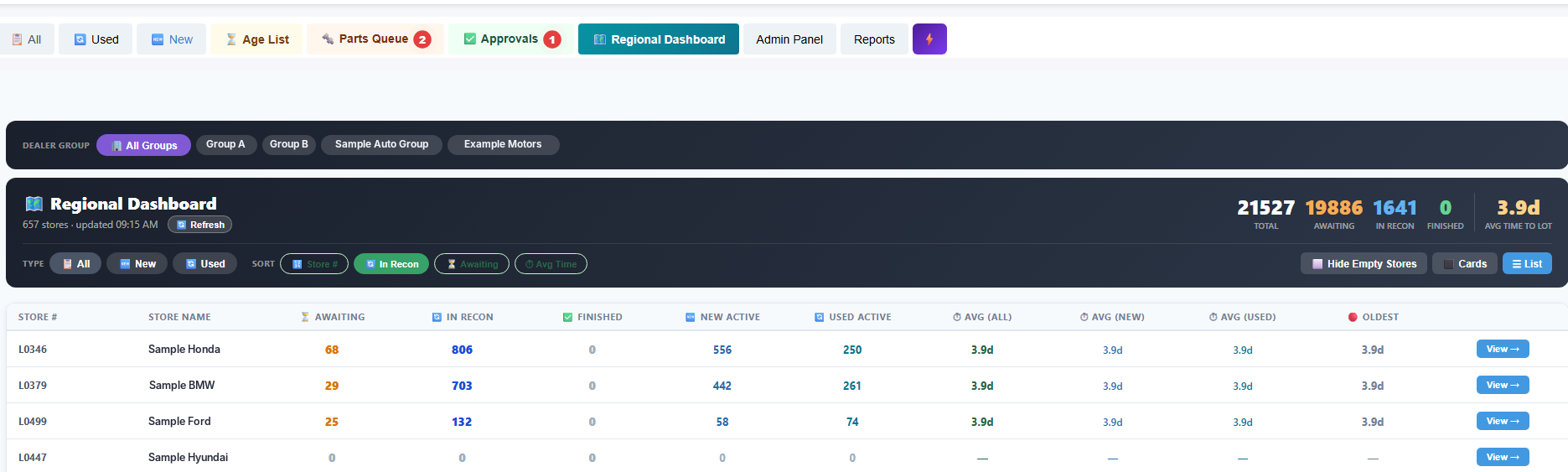
Actual ZeroGap Recon Regional Dashboard showing multi-store metrics and store-level inventory table
Regional dashboardActual product screen
04 / Parts queue

Keep requests visible—not buried in a conversation.

Parts-related work can become a hidden source of delay. The parts queue brings requested work items, departments, labor hours, and pricing fields into a shared view so the team can follow up with context.
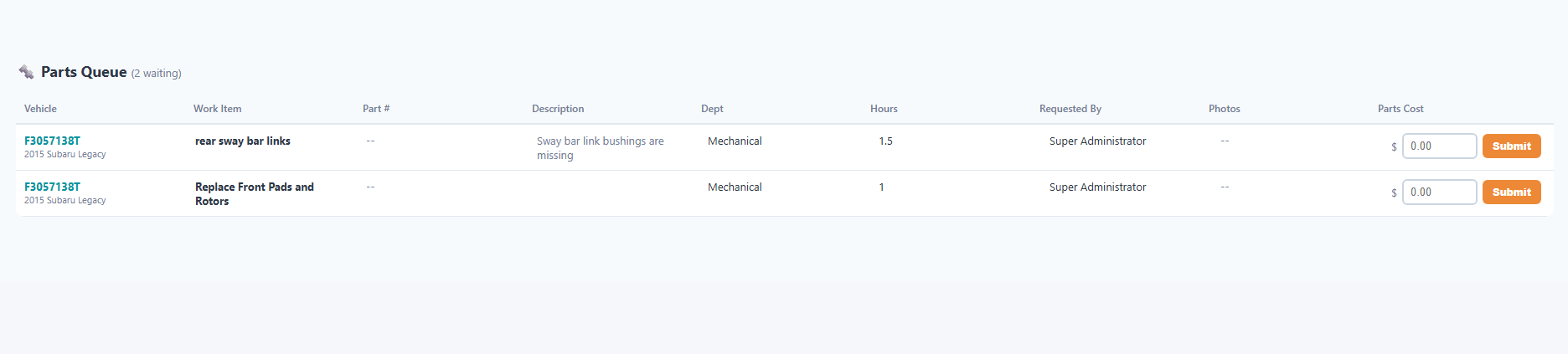
  • Review work items and parts details
  • See the requesting user and responsible department
  • Capture parts pricing and hours
  • Keep open requests visible for follow-up
Actual ZeroGap Recon parts queue with vehicle work items, department, hours, and parts cost
Parts queueActual product screen
05 / Cost & approval controls

Make pending costs easier to see.

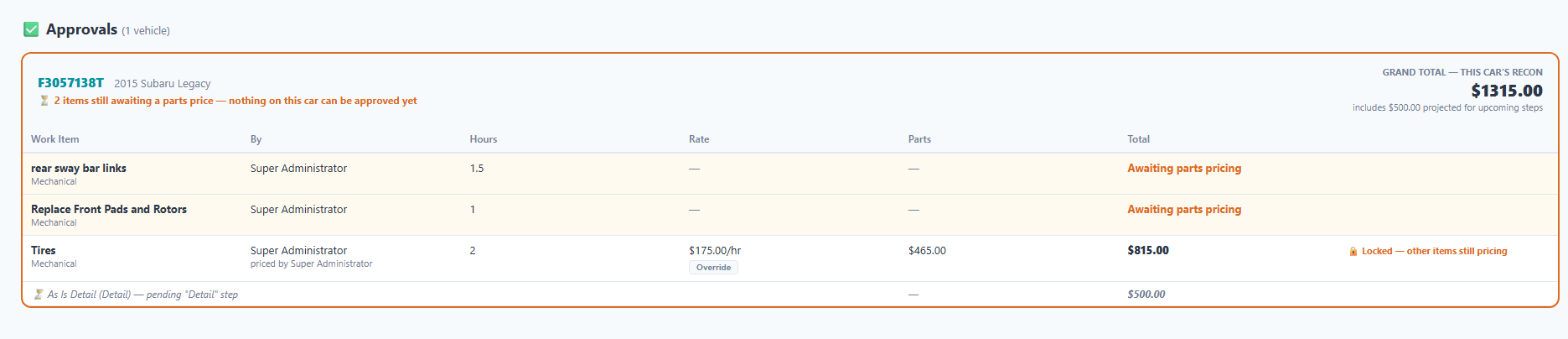
Keep work items, labor, parts, and projected recon costs in view as decisions are made. Pending pricing and locked items are visible in the approval screen, helping managers understand what still needs attention.
  • Review costs associated with recon work items
  • Surface items waiting for parts pricing
  • See labor hours, rates, and parts amounts
  • Understand when additional items are still pending
Actual ZeroGap Recon approvals view showing work items, labor, parts, totals, and pending pricing
Recon approvals & costsActual product screen
Built around real dealership workflows

More than a status board.

Connect day-to-day workflow visibility with the management context teams need to keep recon moving.

01 / WORKFLOW

Step-by-step tracking

See where vehicles are in the process and which work areas need a closer look.

02 / ACCOUNTABILITY

Assignment & activity history

Understand who is assigned and review workflow changes in the vehicle's activity log.

03 / AGING

Time-in-step awareness

Surface aging vehicles and overdue steps so follow-up can be more focused.

04 / PARTS

Parts queue visibility

Keep requested items, labor hours, and parts pricing together for review.

05 / COST CONTROL

Approval context

Review projected costs and identify work still waiting on pricing or decisions.

06 / MULTI-STORE

Regional oversight

Give group leadership a consolidated view of inventory and recon activity across stores.

Accountability Built In.

Give your team a shared view of recon—and give leadership a better way to see what is moving, what is waiting, and where attention may be needed.

See It in Action →
See ZeroGap Recon for yourself

Ready to bring your recon process into focus?

Let's walk through your current workflow, the points where vehicles tend to stall, and how ZeroGap Recon could support your store or dealer group.

Live product walkthroughDiscuss your dealership's workflowExplore single-store or multi-store needs

Request a demo

Tell us where to reach you and a little about your operation.

The page preview is working, but this form is not connected to a lead inbox yet. Connect a form endpoint or CRM before publishing.

No obligation—just a conversation about your recon operation.